Everything is off 40% now!
DEAL

smart:EQ 4

The intelligent equalizer

Within seconds, our flagship equalizer analyzes your audio and balances frequencies automatically. Clean up tracks, shape tone and create a spacious mix faster.

Original price was: €129,00.Current price is: €79,00.
  • up to 15% loyalty discount
  • up to 42% collection discount
Try

Plug-in Boutique

out of 288 ratings

4.7 / 5.0

MusicTech

5 / 10

Sweetwater

5 / 5

Define your mix,
refine your tracks

Empower your mix journey

Keeping the mix context in mind – effortlessly

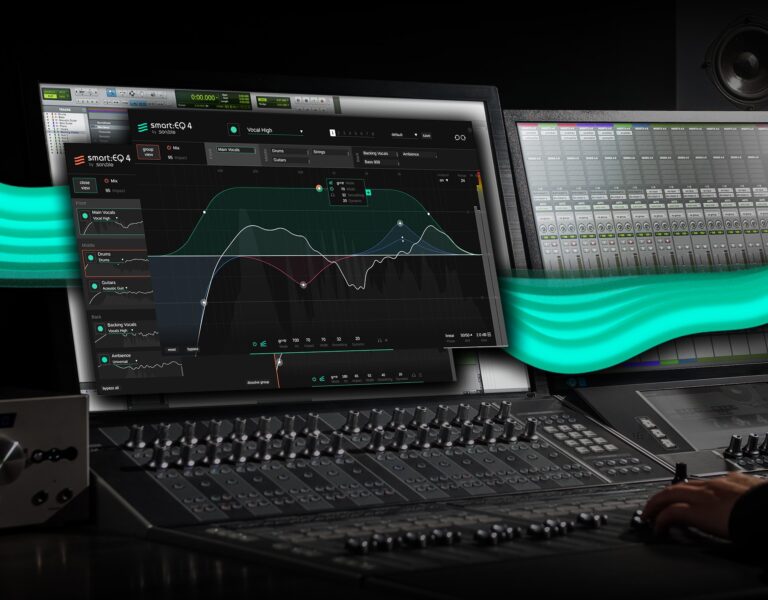
Unlike usual equalizers that leave the context of a mix out of any processing, smart:EQ 4 lets you take control over multi-track unmasking processes easily and get spectral mixing done by simple dragging and dropping up to 10 tracks. This set priorities for each smart:filter, bringing some elements to the forefront of the sonic stage, leaving some in the middle, and pushing some into the background. Switching back and forth between instances is a thing of the past in this innovative tool – any instance within the same group can be remotely controlled from any other instance.

smart:filter technology by sonible

AI-powered equalization for instant spectral balance

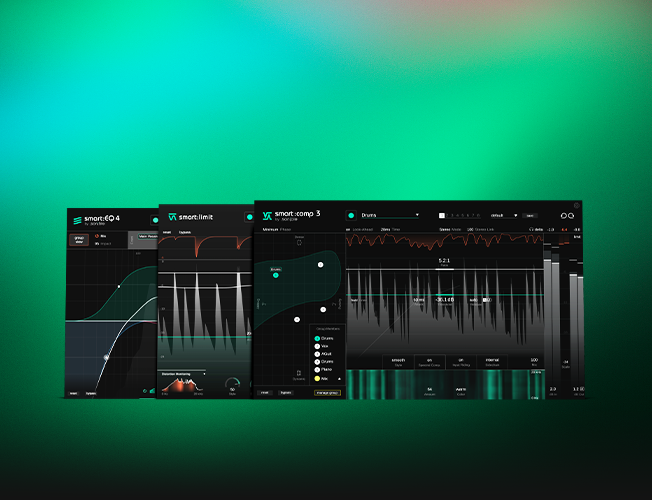
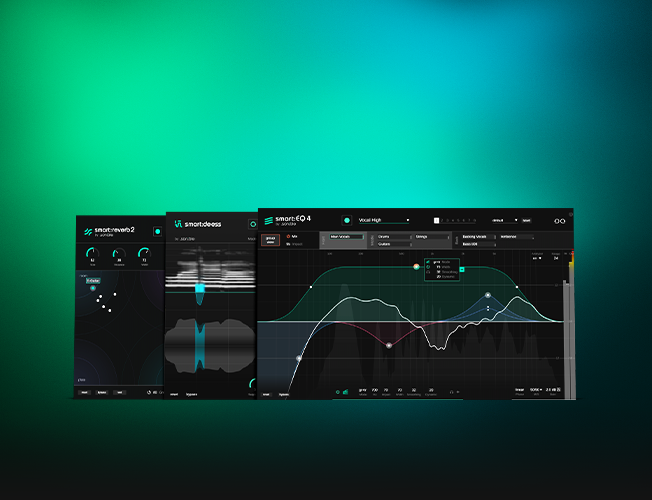
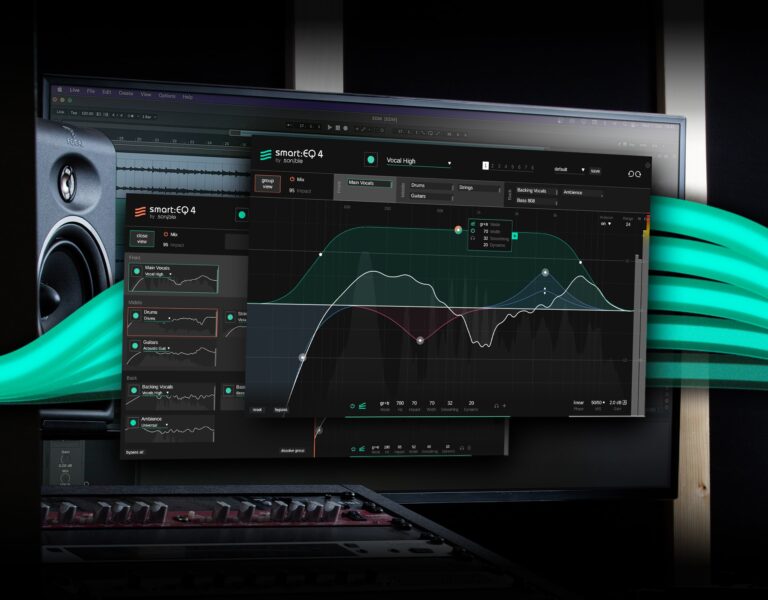
The centerpiece of smart:EQ 4 is the smart:filter – it automatically balances the signal based on a target Profile you choose for your tracks. The smart:filter within each EQ instance comes with a range of features to adjust the AI-powered processing to your liking. Open up the smart:filter widget to tweak the Smoothing parameter for gentler filtering and turn up the Adaptive option to smooth out highly dynamic signals. You can split the green weighting curve of the smart:filter and set a certain frequency range to define where the intelligent algorithms should get to work.

smart:EQ 4’s smart:filter can be used in three modes: 'Track' balances the channel; 'Group' doesn’t affect the channel but reduces masking between it and other group members; 'Track and Group' applies balancing to the channel and makes it subject to unmasking.

Calibrate the intelligent processing

Profiles for instruments, vocals and entire mixes

With each generation of smart:EQ, the range of available Profiles grew. smart:EQ 4 sports instrument and vocal Profiles that you can use on single tracks or busses. To give your mix a final spectral polish, use one of the genre-based profiles. If you are chasing a certain sound, load up a reference track to create a custom profile and have smart:EQ 4 emulate its spectral character and balance on your channel or buss. By popular demand, now you can even specify the maximum learning time that smart:EQ 4 should use to analyze the input signal.

Dynamic standard filters, Mid/Side processing, Auto gain,...

All the features you need for expert tweaking

smart:EQ 4 is a highly versatile EQ that has got you covered with every feature you would expect from a pro-grade equalizer. In addition to the smart:filter, smart:EQ 4’s standard EQ bands sport dynamic behavior, offering a Dynamic Filter Widget with familiar compressor-like controls. These Standard EQ bands can be used alongside or instead of the main smart:filter bands for any instance of smart:EQ 4. There is also an Auto Gain Feature to compensate for level changes, comprehensive Mid-Side processing and an analyzer feature that not only shows you the track at hand but all instances that are in the same group.

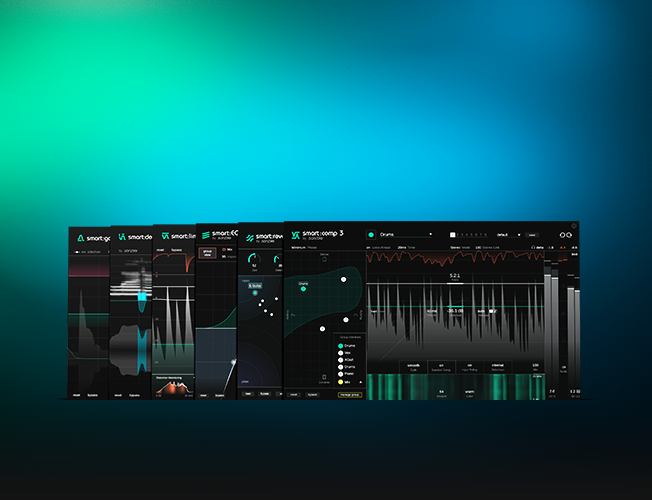
The full package

Bundles

FAQ

Before you ask

smart:EQ 4 uses inter-plugin communication using your network, independently from your DAW. When working with presets within EQ 4, these inter-communication settings are properly stored in the presets, so when they are recalled, everything works as expected.

It is possible to create presets and plug-in templates within a DAW, bypassing the plugin-internal preset functionality. When these presets (created within the DAW) are recalled, the communication settings are often not recalled correctly, resulting in different settings between all instances.

This results in "Group Section flickering" where instances of smart:EQ 4 do not talk to each other correctly and interfere with each other.

To solve this problem, please delete the presets/templates created by your DAW and always start smart:EQ 4 from a clean state. If you have not intentionally created such templates, the DAW will most likely have created a default state/preset itself, which can be found in the Presets folder of the DAW.

Every DAW saves presets differently, please check out their respective manual. You will find guides on where default presets are stored on different DAWs below.

If this does not solve your problem, please contact support.


Logic Pro

In Logic Pro, you can delete user presets by choosing "delete" in the user presets dropdown menu. This is located right next to Logics own blue bypass button. In order to work, the Preset has to be greyed out and called "Manual" instead of "User default".
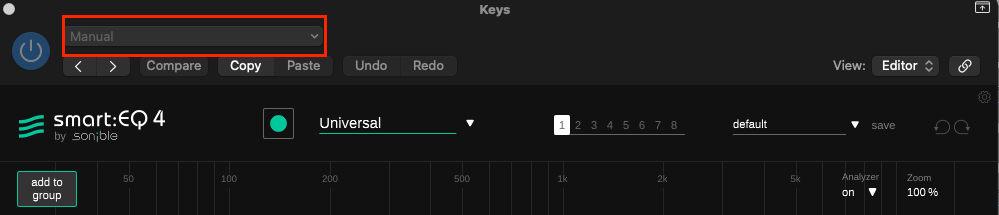
logic_how-it-should-be.png


Cubase

In Cubase, the user presets folder has to appear empty in the top bar of the plugin. Presets are saved within the "Presets" folder of the smart:EQ4 Plugin itself and are called xxx.vstpreset. Delete them in order to fix the issue.
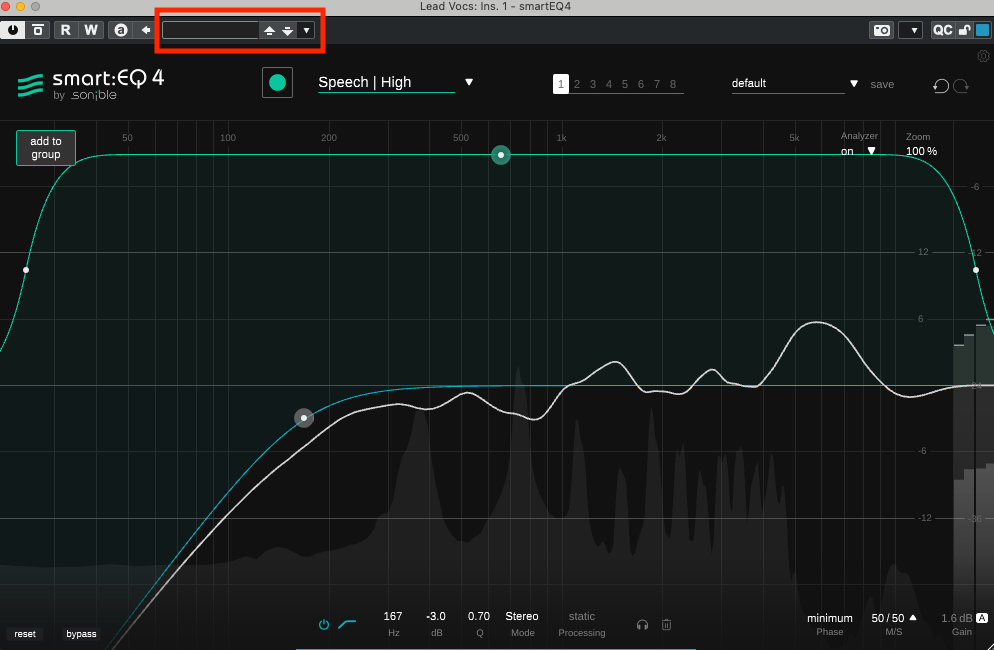
cubase-how-it-should-be.png


FL Studio

In FL Studio, please avoid loading the plugin from the preset you may have added to the plugin database. Instead, load the plugin from the plugin manager! You can do this by clicking the mixer slot that you wish to load Smart:EQ 4, click "More Plugins" and select the Plugin. This will prevent Flickering in that session.


 

See all FAQs

Voices of the industry

Testimonials

“Whenever a sound isn’t sitting right in the mix, smart:EQ 4 usually solves it in seconds. It’s become a go-to tool in my workflow.”

– Byrd

Grammy-winning, multi-platinum-selling producer

“It’s insane. This would not have been possible some years ago and now it’s going to change the way we work completely.”

– Paweł Uszyński

Sound designer & music producer, Reviewer | Folia Soundstudio

“smart:EQ is one of those plugins I genuinely can’t live without anymore. I use it on pretty much every track or bus.”

– Ilian Bluestone

Music producer & DJ

Related Blogposts

Dive deeper

Features, specs & changelog

The core of your sound

Download Manual (PDF)
  • AI-powered smart:filter for automatic spectral balance in single tracks and busses
  • Spectral mixing via drag and drop of up to 10 instances
  • Dynamic standard EQ filters
  • Adaptive smart:filter for very dynamic signals
  • Minimal latency mode
  • Mid/Side processing
  • Auto Gain compensation
  • Instrument, vocal and genre-based Profiles
  • Custom Profiles from reference tracks
  • Track, Group and Track + Group processing modes

Give smart:EQ 4 a try

Want to try before you buy?
Test-drive smart:EQ 4 for 30 days – completely free and without any limitations.